How-to · Face swap
How to Make a Face Swap Video of Yourself (Step by Step)
By Bolly teamPublished 8 min read
To make a face swap video on Bolly, open Mix, pick a short clip with a person in it, add one clear photo of the face you want in that clip, and press Swap me in. The finished video lands in your Library, which currently says that can take 5 to 10 minutes. Mix needs the Starter plan ($19 a month) and a full 15-second run costs 76 credits, so check your plan first. Use your own face, or the face of someone who has clearly agreed to being in the video, and label the result as AI-generated.
What a video face swap is, and what it isn't
A video face swap puts someone else's face into a clip while everything else plays as filmed. Some tools paste a face onto the original footage. Mix, Bolly's AI video face swap, is a character swap instead: it sends your source clip and photo to Kling O3's video-edit model with an instruction to replace the chosen person with the person in the photo, matching their face, hair, skin tone and build (and clothing, unless the template keeps its outfits), and to leave the movement, timing, expressions, camera, lighting, background and everyone else as filmed. The model redraws that person in every frame.
That makes the photo matter more than any setting. Your hair and build come along with your face, and the result can drift a little from frame to frame, most often when a face is small or turning away. Three things Mix isn't:
- A live filter. You upload, wait, and get a finished clip back.
- A way to edit your own footage. Mix takes a template or a public TikTok link. For your own video file, the same engine is offered on its own as Kling O3 Video Edit on the Plus plan: you supply an MP4 or MOV of 3 to 15 seconds and write the prompt yourself.
- A tool for still pictures. To put a face into a photo, use Face Swap.
What you need before you start
Two inputs decide the result: a photo of the face you want, and the clip you're putting it in. A few minutes on both saves credits, because a completed run isn't refunded when you simply don't like it.
A photo the model can copy
- Straight to camera, in even light. Sharp and front-facing, with no shadow across half the face.
- Nothing over the face. No sunglasses, mask, hand or heavy filter, which matches Mix's own upload tips.
- Head and shoulders in frame. Crop out the empty space around you.
- One person per photo. A group photo leaves the model guessing which face you mean.
- Hair and clothes as you want them on screen. Bolly asks the model to copy both, except on templates that keep the clip's outfits.
- Any common format. JPG, PNG or a phone photo under 30 MB; Bolly resizes it.
A clip that gives it something to work with
- One or two clearly visible people. The model has to know who to replace, and a crowd makes that harder.
- A steady shot with the face in view. Small, distant or turning faces are where swaps slip.
- A template or a public TikTok link. Templates come with the people already labelled. For a link, Bolly accepts public tiktok.com videos only and uses the first 15 seconds.
Warning: Mix needs the Starter plan or above
The Free plan can't run it. The plan check happens when you press Swap me in after signing in, so it's worth knowing up front. Compare plans and credits before you start.
How to make a face swap video on Bolly
Get consent first
The face has to be yours, or belong to someone who has clearly agreed to be in this video. Being fine with a photo online isn't agreement. See the consent rules.
Pick a clip
Open a template such as Storm - Assembly, or open Mix and paste a public TikTok link. Only the first 15 seconds are used.
Choose who to replace
On a template with two people, pick one or both under Who do you want to replace? On a pasted TikTok clip, an optional box takes up to 120 characters, such as the woman in the red dress. Leave it empty and Bolly asks for the main person.
Add a photo for each person
Upload one photo per person you're replacing, up to two. Each slot is labelled with the person it replaces, so check they match.
Press Swap me in
Sign in if asked. Bolly checks your plan (Starter or above) and holds the credits: 76 for a 15-second clip.
Wait for your Library
You land in your Library, and the video appears there on its own when it's ready. Right now that can take 5 to 10 minutes. Failed runs are refunded automatically.
Check it, label it, post it
Play it through with sound on and watch the face in every shot. If it slips, try the fixes below. When you share it, mark it as AI-generated.
Which clips to start with
Five templates make good first swaps: full-length clips with the people already labelled. If you can, start with one person, the simplest case.
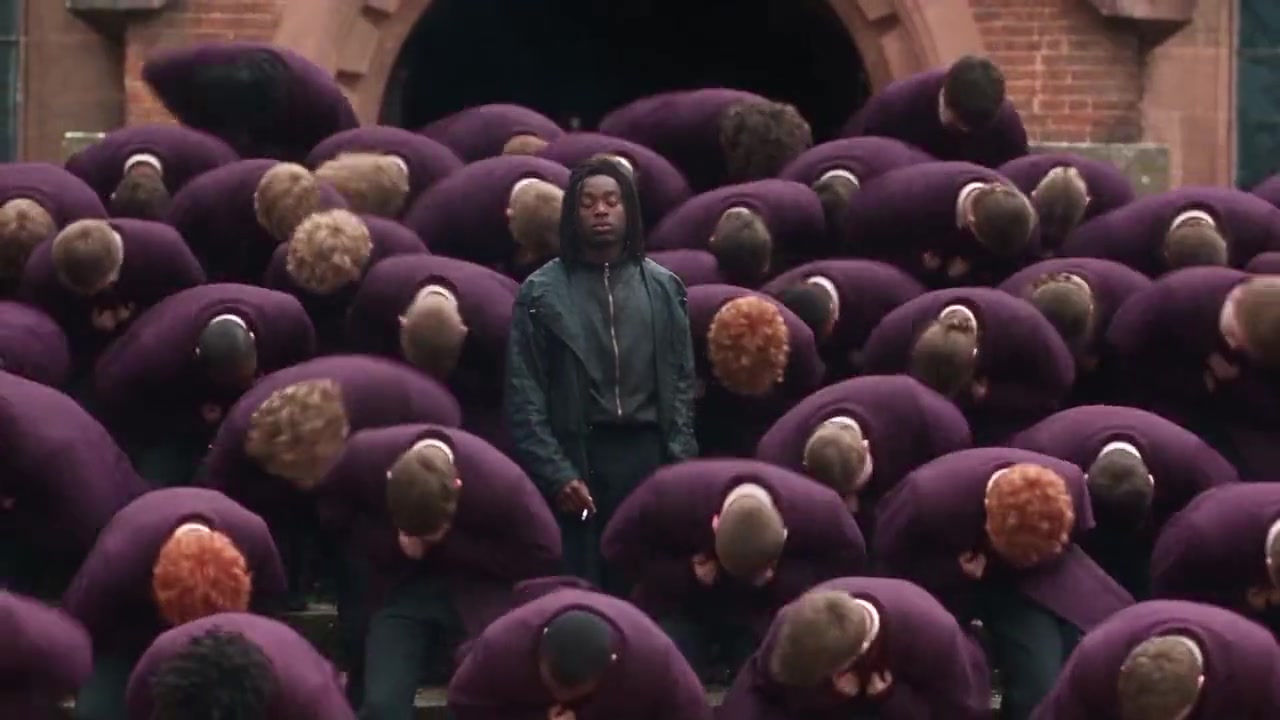
Template
Storm - Assembly15 seconds, 16:9, with sound. One person to replace: the walker. 76 credits.
Remix this templateTemplate
Fan Outfit Transition15 seconds, vertical, with sound. One person; the clip's outfit changes stay. 76 credits.
Remix this templateThe fan clip is the exception to the outfit rule: Bolly asks the model to keep every outfit from the clip, changing at the same moments, and to take only your face, hair, skin tone and build from the photo. The fan outfit transition guide covers it.
Two people at once
Bolly's take on a multiple face swap is two people per run, one photo each, at the same price as a single swap. You can also swap just one and leave the other as filmed. What Mix can't do is turn a crowd into copies of one face: everyone you don't pick stays as they were. The Storm II group swap guide walks through a two-person run.
More two-person clips
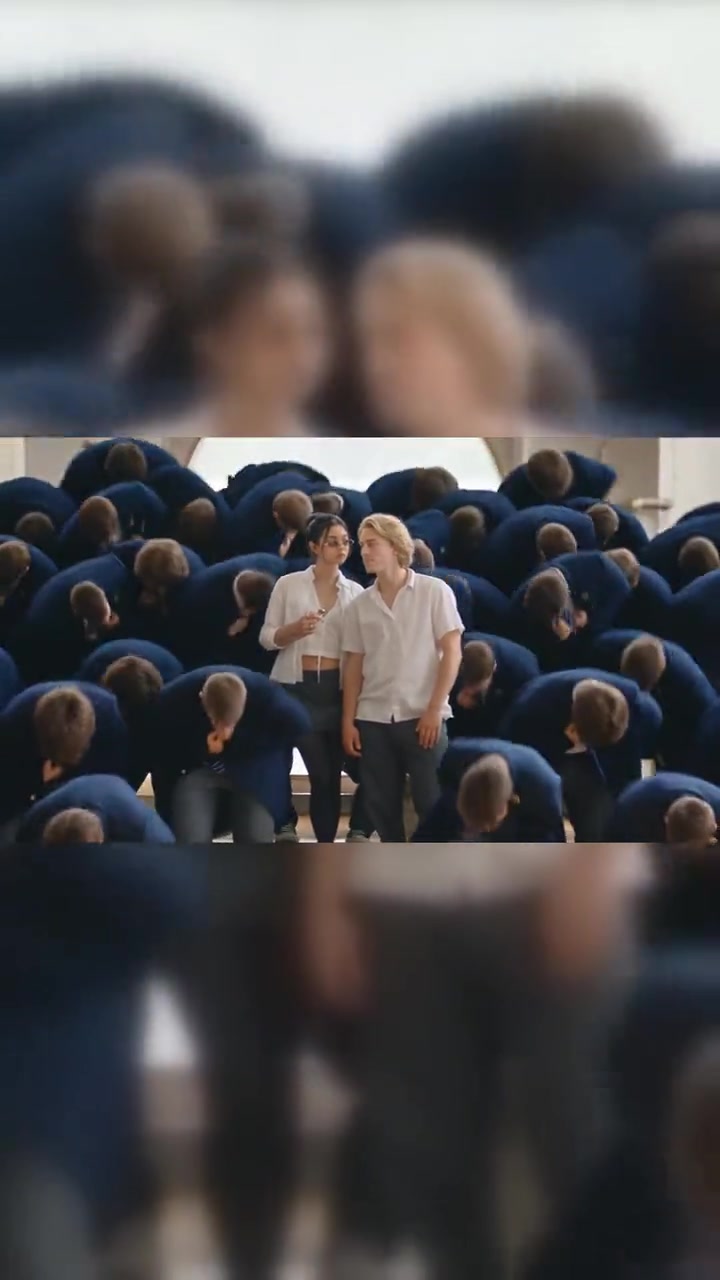
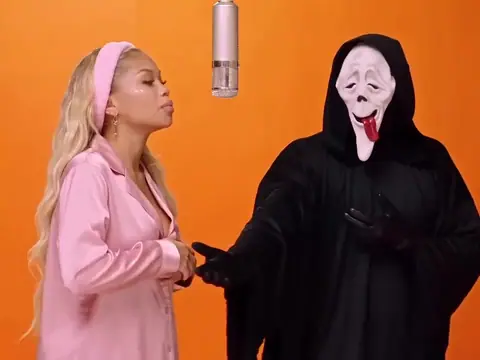
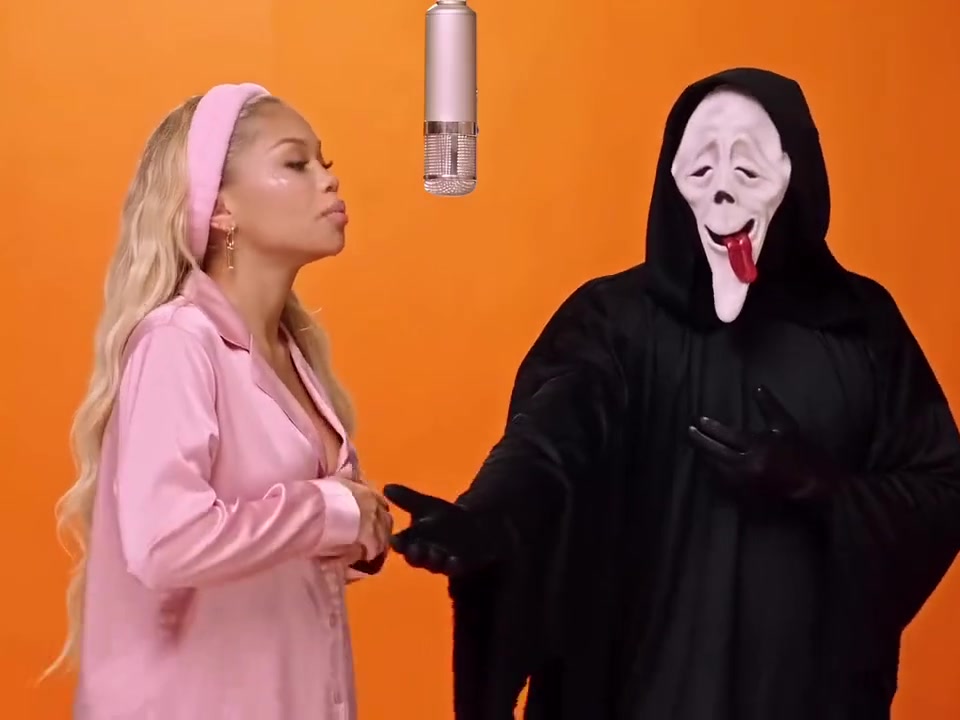
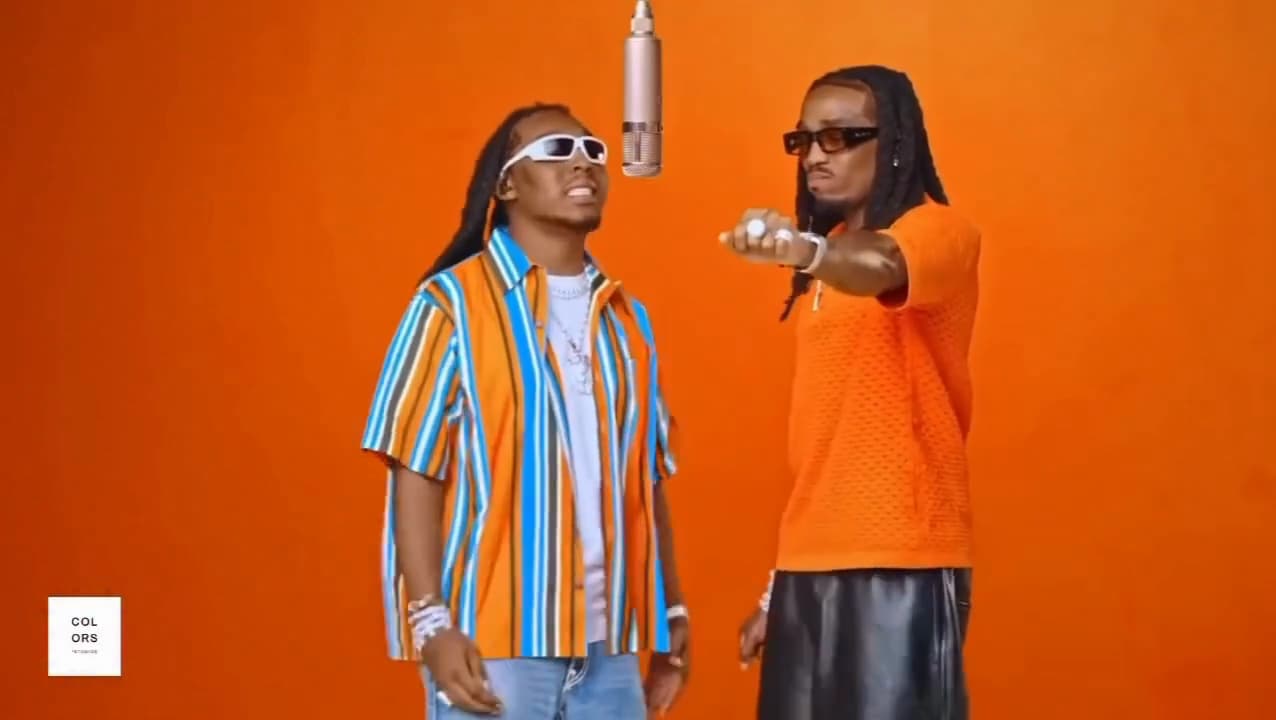
Quavo & Takeoff - Hotel Lobby is 15 seconds with sound, a striped shirt on the left and an orange shirt on the right. Storm - Couple runs about 11 seconds, vertical and silent, with glasses and a white shirt on the left and blond hair on the right (61 credits). Ghostface Rap Duo is 15 seconds with sound, pink pyjamas on the left and a Ghostface mask on the right; swap only the singer to keep the mask.
When the face slips: what to change
Results vary, and the usual problems have usual fixes. Change one thing per re-run so you can see what helped, since every run costs credits.
- It doesn't look like you. Use a sharper, straighter photo in even light, drop filters, and pick a clip where the face is larger in frame and turns away less.
- Faces landed on the wrong people. On two-person clips the model occasionally swaps them over. Re-run, or move the photos to the opposite slots.
- It swapped the wrong person in a TikTok clip. Fill in the who-to-replace box with clothing, position and action, such as the man in the green jacket holding a guitar.
- The sound changed. On the main engine, Kling O3, the clip's audio is kept, so a silent clip stays silent. If a job is rejected or fails, Bolly retries once on MiniMax H3 Max, which follows the original motion more loosely and may add generated sound.
- The run failed. Failed or refused runs are refunded automatically. A run that completes isn't refunded because you dislike it (see the refund policy), so try a short clip before a 15-second one.
What a face swap video costs
Mix prices a run by the length of the source clip, counted in whole seconds up to a 15-second maximum. The number of people or photos doesn't change the price.
- 5 seconds: 26 credits
- 10 seconds: 51 credits
- 15 seconds: 76 credits
Starter ($19 a month) includes 300 credits: three 15-second runs (228 credits, with 72 left) or eleven 5-second runs. Plus ($59 a month, or $47 a month billed yearly) includes 1,200 credits, enough for fifteen 15-second runs. The Free plan gives 10 credits a day, has no video models and can't run Mix. Compare plans on the pricing page.
Consent, labels and other people's clips
Warning: Your face, or someone who clearly agreed
Only upload a photo of yourself, or of someone who has clearly agreed to being put into this video. Permission to post a photo online isn't permission to put that person in a new one. Never upload a photo of anyone under 18, even with a parent's permission.
The rules also rule out using a swap to make a real person appear to say or do something they didn't and presenting it as real, to fake an endorsement, or to impersonate someone. When you post, mark the video as AI-generated, use the platform's own AI label where it has one, and don't remove or blur watermarks or provenance data. The full Responsible AI policy has the details.
Templates and TikTok clips can contain footage that belongs to other people, so keep your remixes personal and non-commercial unless you have the rights holders' permission (see other people's work). If you appear in something on Bolly without your consent, you can report it and Bolly will take it down.
Ready to try it? Remix Storm - Assembly for a one-person swap, open Mix to paste a TikTok link, or compare tools first in the guide to the best face swap apps.
Frequently asked questions
Can I make a face swap video for free?
Not with Mix on the Free plan, which has no video models. Mix needs Starter ($19 a month) or above, and a 15-second run costs 76 credits out of Starter's 300. The plan check happens when you press Swap me in after signing in. If a run fails or is refused, the credits come back automatically.
Can I swap a celebrity into a video?
No. Bolly only allows photos of you, or of someone who has clearly agreed to being in the video, and a public figure who hasn't agreed doesn't qualify. Making a real person look like they said, did or endorsed something they didn't is against the rules too. Use your own face, or a friend's with their clear yes.
Can I use my own video instead of a template?
Not in Mix, which takes templates and public TikTok links. For your own footage, the engine behind Mix is offered separately as Kling O3 Video Edit on the Plus plan: you supply an MP4 or MOV of 3 to 15 seconds and write the prompt yourself, so expect a few tries.
How long does an AI face swap video take?
Bolly's Library currently says generations can take 5 to 10 minutes while demand is high, and new results appear there on their own. That range can change, so treat it as the current estimate, not a promise.
Can I swap two people at once?
Yes, on clips with two people. Pick both under Who do you want to replace? and add one photo for each; the run costs the same as a one-person swap. Mix replaces at most two people per run, and both need to have agreed.
Will the original sound stay in the video?
Usually. On the main engine, Kling O3, the clip's audio is kept, so a silent clip such as Storm - Couple stays silent. If a job falls back to MiniMax H3 Max, that model may add generated sound of its own.
Try the Quavo & Takeoff - Hotel Lobby template
Upload a photo and Bolly swaps you into the clip. Mix comes with every paid plan, from Starter at $19 a month, and failed runs are refunded automatically.
More from the blog
How-to
How to Make AI Videos: From Text, a Photo or a Clip
Make an AI video from text, a photo or a template clip. Pick a model, copy four prompts, add sound and export, with the real credit cost of each model.
· 9 min read
How-to
How to Animate a Photo With AI: Steps, Prompts and Costs
Animate a photo with AI: prepare the picture, pick a model, copy five motion prompts for portraits, pets and old photos, and see what each clip costs.
· 7 min read
Prompts
Nano Banana Prompts: 17 Copy-Paste Examples and Use Cases
17 copy-paste Nano Banana prompts for photo edits, product shots, posters and figurines, with what to attach, how to run them and what each image costs.
· 10 min read
AI video pricing
AI Video Generator Pricing: What a Clip Really Costs (2026)
What AI video costs in 2026: Bolly credits per model for 5 s and 10 s clips, plan rates, clips per month, and how Runway and Higgsfield credits compare.
· 8 min read