AI video trends · TikTok
Relationship Rant Reaction Trend: Put Yourself in It with AI
By Bolly teamPublished 3 min read
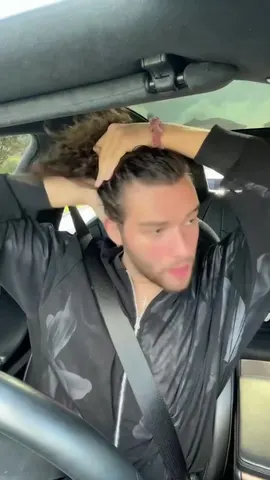
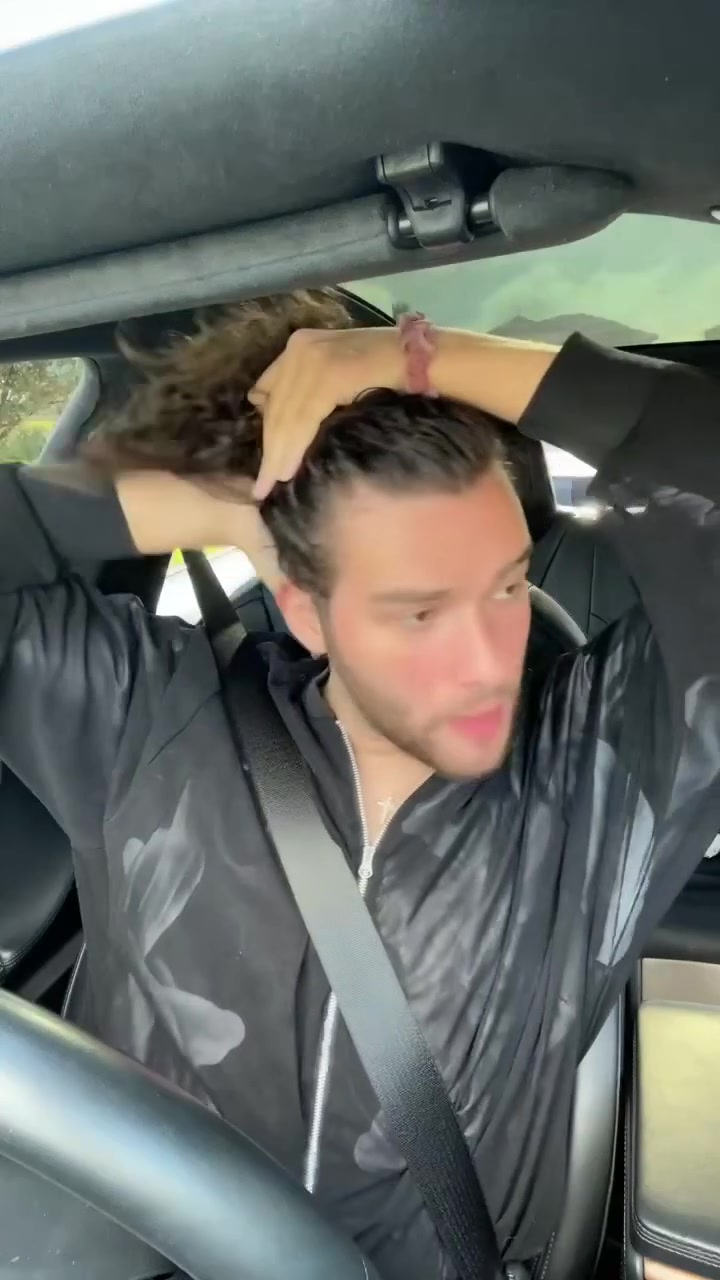
Relationship Rant Reaction is built on a car video by @bryanthediamond, in which one person talks and reacts with a lot of expression about how a partner should never put their hands on you. Bolly's template puts you in that clip from a single photo.
Template
Relationship Rant ReactionPut yourself in this Relationship Rant Reaction clip
Remix this templateWhat the Relationship Rant Reaction clip is
The original is At no point in time should your significant other put their hands on you point blank period. (opens in a new tab) by @bryanthediamond, on TikTok under Relationship TikToks. The caption states that a significant other should never put their hands on you, and the sound is "original sound - Bryan 💎." The post page shows 11.1M likes and 117.9K comments.
In the clip, one adult sits in a car and delivers an expressive talking and reaction performance. It reads as a standalone opinion rant, not a format with a set script.
TikTok's discover page for people putting their hands on you (opens in a new tab) lists Bryan's post alongside other videos where creators answer on green screen who they would call. Nothing on those pages says the videos are connected or that this is a named trend, so treat the template as a way to reuse this one clip.
Tips for a good result
Use a photo of one person only, with the face clearly visible and facing the camera. Even, bright light helps, so avoid heavy shadows, sunglasses or anything covering your face.
The clip is built on expressive talking and reactions inside a car, so a neutral or lightly expressive face in your photo gives the swap room to move. A photo cropped from the chest up fits the seated framing well.
Bolly replaces the person and keeps the moves, the scene and the sound. The result is a 15-second clip, and the audio is still Bryan's original sound, so credit @bryanthediamond as the original when you post it.
How to make the Relationship Rant Reaction video with your own face
Open the template
Open the Relationship Rant Reaction template. It plays the clip and has the upload form under it.
Upload one photo
Use a clear photo of one person with the face fully visible, front-facing and well lit. A full-body photo helps the outfit look right.
Generate
Hit Generate. A run costs 76 credits, and the video lands in your Library, usually within a few minutes.
Post it
Download the clip and post it with the original sound. Credit the trend by its hashtag, and mark the video as AI-generated, as our labeling rules ask.
Note: Your own clip
Saw a different take on this trend? Paste its TikTok or Instagram Reel link into Mix and put yourself in that one.
Frequently asked questions
Who made the original Relationship Rant Reaction clip?
It comes from @bryanthediamond on TikTok. Bolly's template is based on that post, and the creator is not connected to or endorsing Bolly.
What is the clip about?
The caption says a significant other should never put their hands on you. In the video, one person talks and reacts expressively in a car.
Is this a named TikTok trend?
The pages we found don't name a trend or say where one started. The post sits in TikTok's Relationship TikToks category and looks like a standalone opinion video.
Are the green screen videos on the discover page part of it?
The discover page lists them near Bryan's post, but nothing there confirms a link. Those videos ask who you would call and use their own original sounds.
How much does the Relationship Rant Reaction template cost?
76 credits per run. Mix needs a paid plan: Starter is $19 a month with 300 credits. Failed runs are refunded automatically. See pricing.
Can I use a cartoon or AI character instead of my photo?
Yes. Any clear image of one character works: a drawing, a render or a generated image.
Original clip by @bryanthediamond (opens in a new tab) on TikTok.
Try the Relationship Rant Reaction template
Upload a photo and Bolly swaps you into the clip. Mix comes with every paid plan, from Starter at $19 a month, and failed runs are refunded automatically.
More from the blog
How-to
How to Make AI Videos: From Text, a Photo or a Clip
Make an AI video from text, a photo or a template clip. Pick a model, copy four prompts, add sound and export, with the real credit cost of each model.
· 9 min read
How-to
How to Animate a Photo With AI: Steps, Prompts and Costs
Animate a photo with AI: prepare the picture, pick a model, copy five motion prompts for portraits, pets and old photos, and see what each clip costs.
· 7 min read
Prompts
Nano Banana Prompts: 17 Copy-Paste Examples and Use Cases
17 copy-paste Nano Banana prompts for photo edits, product shots, posters and figurines, with what to attach, how to run them and what each image costs.
· 10 min read
AI video pricing
AI Video Generator Pricing: What a Clip Really Costs (2026)
What AI video costs in 2026: Bolly credits per model for 5 s and 10 s clips, plan rates, clips per month, and how Runway and Higgsfield credits compare.
· 8 min read