Music videos · AI video
How to Make an AI Music Video: Song, Shots and Cost
By Bolly teamPublished 8 min read
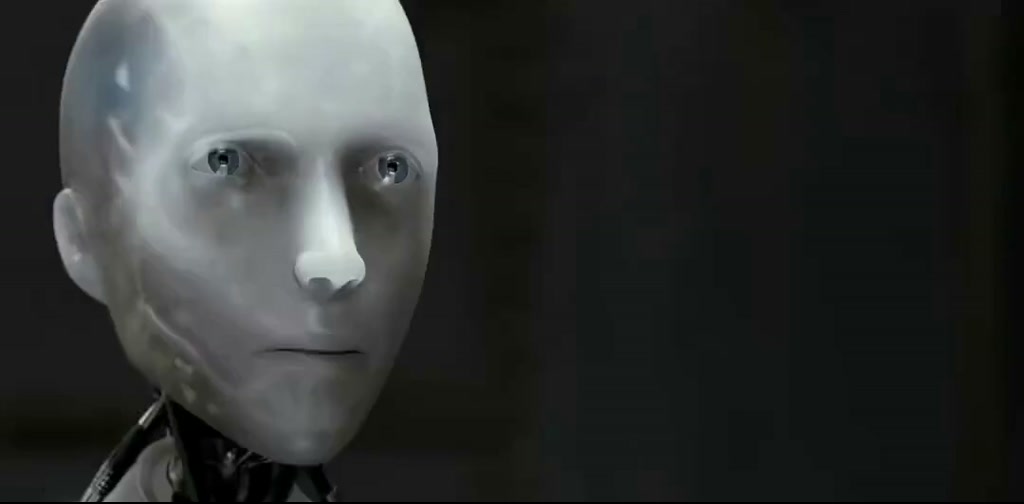
How to make an AI music video: generate the song, plan twelve five-second shots, animate one consistent character through them, then cut the clips to the track in a video editor. On Starter, a 60-second cut costs about 200 credits (roughly $10) with PixVerse V6 clips, and Bolly can't join clips, so the final edit happens in an editor.
The workflow in six steps
Generate the song
Paste lyrics and a style prompt into Make a Song and set the length. A 60-second track costs 5 credits.
Turn the track into a shot list
Write one line per five-second block, tied to the lyric sections. Twelve shots cover 60 seconds.
Make your character once, then reuse it
Generate a hero image in Nano Banana 2, then use its edit mode to put the same character in each scene (4 credits per 1K image).
Animate each still
Run every still through an image-to-video model, one clip per shot, and rerun the weak ones.
Add lipsync close-ups (optional)
For a shot where the singer faces the camera, use a lipsync or avatar tool.
Put the clips on the track
Download the clips and the song from the Library and cut them together in any video editor, on the beat.
Step 1: generate the song
Make a Song runs Minimax Music 3, which takes lyrics with section tags such as [intro], [verse], [chorus] and [outro], plus a style prompt. Set the duration to your video's length: 60 seconds costs 5 credits, 120 seconds 10, three minutes 15, up to five minutes. It works on the Free plan. The duration is an upper limit, so check the finished length before you plan shots.
Dreamy synth-pop, about 96 BPM, warm analog synths, driving drum machine, breathy female lead vocal, hopeful chorus with a big hook
[intro]

[verse]
Last bus leaving, windows low
Neon rivers, streetlights glow
Every corner whispers go

[chorus]
Take me home the long way round
Lights on low and the city loud
I'm not lost, I'm just found

[verse]
Rooftop wind and a paper cup
Skyline waking, sun coming up

[chorus]
Take me home the long way round
I'm not lost, I'm just found
Tip: Count bars, not seconds
At 96 BPM a bar lasts 2.5 seconds, so a five-second clip is two bars and 24 bars make 60 seconds. There is no tempo field, so a BPM in the style prompt is only a request: play the result and time a bar before you plan cuts.
Two other models make music: ElevenLabs Music can force an instrumental and Sonilo can score a video. The AI music generators roundup compares all three.
Step 2: turn the track into a shot list
A music video is a list of short shots timed to the song. Note where each section starts, then give each five-second block one camera move and one action. The AI storyboard guide goes deeper on planning shots.
CHARACTER: a young woman with short black hair, a silver bomber jacket and a white tee
LOOK: 35 mm film, neon night colors, light grain, no on-screen text

1. 0:00 intro: Empty crosswalk at night, wet asphalt mirroring neon signs, slow push-in
2. 0:05 intro: CHARACTER waits at a bus stop under a shop sign, hood up, breath visible
3. 0:10 verse: On the night bus, CHARACTER rests her forehead on the window, city lights streaking by
4. 0:15 verse: Close-up, her hand wipes fogged glass, neon blurring behind it
5. 0:20 verse: CHARACTER steps off the bus and walks toward the camera down a wet street
6. 0:25 chorus: Wide, CHARACTER walks the middle of an empty crosswalk, arms open, city glowing behind
7. 0:30 chorus: Close-up, CHARACTER sings straight to camera, neon flickering across her face
8. 0:35 chorus: Low angle, she spins once, jacket flaring, streetlights blooming behind her
9. 0:40 verse: Rooftop at dawn, wind in her jacket, a paper cup steaming in her hand
10. 0:45 verse: The skyline wakes, first sun on the towers, CHARACTER turns toward it
11. 0:50 chorus: Rooftop wide, CHARACTER dances alone, a sun flare drifting across the frame
12. 0:55 chorus: Slow pull-back from a smiling close-up to the whole skyline, fade to black
Paste the CHARACTER line into each prompt, and keep one action per shot so each clip has one thing to get right.
Step 3: keep the character the same
Every clip is generated separately, so the singer's face and jacket can drift from shot to shot. The fix is to make stills first and animate those. Generate a hero image in Nano Banana 2 (4 credits at 1K, Free plan), then use its edit mode with the hero image as a reference for each new scene. The Character Sheet app (5 credits) adds turnarounds, expressions and poses.
Same young woman as the reference image: short black hair, silver bomber jacket, white tee. New scene: inside a night bus, forehead resting on the window, neon city lights outside. 35 mm film look, no on-screen text.
Two more tools keep shots joined. Kling 3, MiniMax H3 Max and Luma Ray 3.2 accept an end frame as well as a start image, so you can aim a clip at the next shot's still. The Video Frame Extractor (1 credit) saves a clip's last frame as an image to start the next shot.
Seedance 2.5 on the Plus plan is another route: its reference-to-video mode takes reference images, videos and audio, which you cite in the prompt as @Image1, @Video1 or @Audio1. Reference audio is meant to guide the generation, but how closely it follows a beat isn't documented, so try one short clip first.
Step 4: animate each still
Image-to-video is the workhorse: each still becomes one clip, with the shot-list line as the prompt. Credits are per five-second clip at the default resolution (one credit is $0.05). How to animate a photo covers prompting, and the AI image-to-video tools roundup compares more models.
- Luma Ray 3.2: 6 credits at 540p, 12 at 720p, the cheapest of these five. Five- or ten-second clips, optional end frame. Starter plan.
- PixVerse V6: 12 credits at 720p, 1 to 15 seconds (a 3-second clip is 8), with styles such as anime and clay. Starter.
- MiniMax H3 Max: 16 credits at 768p, start and end frames, 5 to 15 seconds. Starter.
- Kling 3: 23 credits with Audio off, 34 with it on, which is the default. Start and end frames, multi-shot prompts, 3 to 15 seconds. Starter.
- Seedance 2.5: 95 credits at 720p, 4 to 30 seconds, reference audio. Plus.
Tip: Turn generated audio off
Your song will be the only soundtrack, so switch Audio off where a model offers it. Kling 3 saves 11 credits per five-second clip that way, and PixVerse V6's audio switch starts off (turning it on adds 2).
Step 5: add lipsync close-ups (optional)
Wide shots and cutaways hide a mouth that doesn't match the lyric, so most shots need no lipsync. For one or two close-ups, Create Video Avatars turns a still and a voice track into a talking avatar (Starter plan, 60 credits at 720p or 32 at 480p), and Lipsync Video re-voices a clip you already made (28 credits). Listed prices assume a 10-second input. To feed in a vocal on its own, Vocal Remover splits a song into vocals and instrumental for 12 credits. Neither lipsync listing mentions singing, so test one line before you commit more.
Step 6: put the clips on the track
This is the step Bolly doesn't do. There is no timeline that joins clips, so download each clip and the song from the Library, lay the song on the audio track of any video editor, place each clip on its block and cut on the downbeat.
Two small tools help along the way. In the Library, Edit video works on one clip at a time: it trims, crops to 9:16, 1:1, 4:5 or 16:9, adds text, mixes in an audio file and exports MP4 or WebM. Merge Audio & Video (Starter plan, 1 credit) puts a track on a single video.
What a 60-second music video costs
The budget covers twelve five-second clips, twelve 1K stills at 4 credits each (48), the 60-second song (5) and one Merge Audio & Video pass (1). Only the clip cost changes with the model:
- Luma Ray 3.2 at 540p: clips 72, total 126 credits, about $6.30.
- PixVerse V6 at 720p: clips 144, total 198 credits, about $9.90.
- MiniMax H3 Max: clips 192, total 246 credits, about $12.30.
- Kling 3 with Audio off: clips 276, total 330 credits, about $16.50. That is over Starter's 300 monthly credits, so add a credit pack or move to Plus.
- Seedance 2.5 at 720p: clips 1,140, total 1,194 credits, about $59.70. Plus includes 1,200 credits a month, so there is no room for retakes.
Budget for retakes: rerunning six PixVerse V6 clips adds 72 credits. Video needs Starter ($19 a month, 300 credits) or above, and Plus ($59 a month, or $47 billed yearly) includes 1,200 credits and every model. Failed runs are refunded automatically. See pricing for the full plans.
Music rights, consent and labeling
Warning: Use music you generated or hold the rights to
Bolly's Responsible AI policy asks you to upload only content you have the rights to and not to pass outputs off as a real artist's work. So don't upload someone else's song for lipsync or merging, and don't prompt for a named singer's voice. Under the Terms you own what you generate to the extent the law allows, but some countries give AI output no copyright protection, and some models carry developer terms such as limits on commercial use.
Note: Faces and voices need consent
Use your own face or someone who has clearly agreed, never a minor, and never imitate a real person's voice (consent rules). An invented character sidesteps the question, and Seedance 2.5's content checker can refuse realistic photos of people (refused runs are refunded).
Tip: Label it when you post
Mark realistic AI video as AI-generated, use each platform's AI label, and don't remove Bolly's watermark or provenance marks. See the disclosure rules.
Frequently asked questions
Can Bolly turn a song into a music video in one step?
No. There is no upload-a-song, get-a-video button. The closest tools are Create Video Avatars, which animates a photo to a voice track of up to five minutes, and Seedance 2.5, which accepts reference audio. You still plan the shots and join the clips in a video editor.
Can I make an AI music video for free on Bolly?
Only the first part. The Free plan's 10 daily credits cover the 60-second song (5 credits) and one still (4 credits), but it excludes video, so the clips need Starter at $19 a month.
How do I keep the video on the beat?
By hand. Bolly has no beat-sync tool, so give each shot a block of whole bars and cut on the downbeat in your editor.
Can I make an instrumental music video?
Yes. ElevenLabs Music has a Force instrumental switch. Sonilo is built for soundtracks and has no lyrics field, but no instrumental switch either, so listen before you commit. Make a Song requires lyrics.
How much would a three-minute music video cost?
On PixVerse V6 at 720p, 36 five-second clips cost 432 credits. Add 36 stills (144), a three-minute song (15) and the merge (1) for 592 credits, about $29.60. That is more than Starter's 300 monthly credits, so plan on a credit pack or Plus.
Try the Can a Robot Write a Symphony? (Original) template
Upload a photo and Bolly swaps you into the clip. Mix comes with every paid plan, from Starter at $19 a month, and failed runs are refunded automatically.
More from the blog
How-to
How to Make AI Videos: From Text, a Photo or a Clip
Make an AI video from text, a photo or a template clip. Pick a model, copy four prompts, add sound and export, with the real credit cost of each model.
· 9 min read


How-to
How to Animate a Photo With AI: Steps, Prompts and Costs
Animate a photo with AI: prepare the picture, pick a model, copy five motion prompts for portraits, pets and old photos, and see what each clip costs.
· 7 min read
Prompts
Nano Banana Prompts: 17 Copy-Paste Examples and Use Cases
17 copy-paste Nano Banana prompts for photo edits, product shots, posters and figurines, with what to attach, how to run them and what each image costs.
· 10 min read
AI video pricing
AI Video Generator Pricing: What a Clip Really Costs (2026)
What AI video costs in 2026: Bolly credits per model for 5 s and 10 s clips, plan rates, clips per month, and how Runway and Higgsfield credits compare.
· 8 min read