AI filmmaking · How-to
AI Movie Maker: How to Make an AI Movie, Shot by Shot
By Bolly teamPublished 9 min read
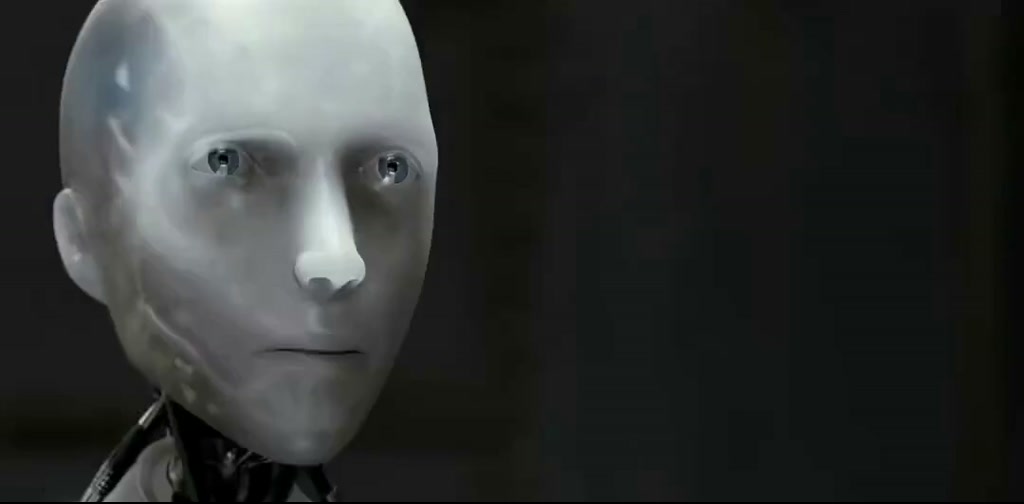
An AI movie maker on Bolly is a chain of tools, not one button: you write a script, make a character sheet and a storyboard, turn each frame into a video shot, add voice, music and sound effects, then join the pieces in a video editor. A one-minute film of ten six-second shots costs about 384 credits ($19.20) for a first pass with Kling 3, so a Plus month (1,200 credits) covers it with room for about 30 retakes.
What Bolly makes, and what it doesn't
Bolly makes the ingredients of a film: stills with Nano Banana 2, video clips with Kling 3 (3 to 15 seconds), Seedance 2.5 (4 to 30) or Veo 3.1 (4, 6 or 8), plus speech, music and sound effects. It doesn't join clips. There is no multi-clip timeline: the built-in clip editor trims, crops and adds text to one clip at a time, and Merge Audio & Video lays one audio file over one video. The last step, assembly, happens in any video editor you already use.
The pipeline in eight steps
The order matters: do the cheap image and audio work first and pay for video last, because a bad still costs 5 credits to redo and a bad shot costs 27.
Write a one-page script and shot list
Keep it to one place and one or two characters. Split the story into ten beats, one per six-second shot, and note for each what we see, how the camera moves and any spoken line. Ten shots make a 60-second film.
Design the character on a sheet
Make one sheet with the Character Sheet app or Nano Banana 2: turnaround views, expressions and a fixed wardrobe. At 2K it is 5 credits a run, so make two and keep the better one. Download it.
Storyboard the film
Run the story through Director's Storyboard or Film Storyboard to check pacing before you pay for video. The AI storyboard guide has the prompts.
Make one keyframe per shot
Attach the character sheet in Nano Banana 2, which switches to Edit, and describe the shot: framing, lens, light. Ten keyframes at 2K are 50 credits. Download each one and name it by shot number.
Turn each keyframe into a clip
In Kling 3 Image to video, attach a keyframe and describe only the motion. Six seconds with audio off is 27 credits. Judge the first clip against its keyframe before you run the other nine.
Add voice, music and sound effects
Speech with ElevenLabs v3 (4 credits per 1,000 characters), a score with Sonilo (6 credits for 60 seconds) and effects with ElevenLabs SFX (1 credit for a clip up to about 12 seconds).
Join everything in a video editor
Import the clips and audio, cut on action and mix the levels. Bolly has no timeline, so this step happens outside it.
Label the film and share it
Say it is AI-generated when you post it, using the platform's label (the rules are below).
Keep one character across ten shots
Start every shot from a keyframe made from the same character sheet, so the video model isn't inventing a new face ten times. Paste the same wardrobe words into every keyframe prompt. Here is the sheet for the running example, a 60-second film called Salt Light, in which a lighthouse keeper relights her lamp during a storm.
Character reference sheet on a clean white background for an original film character: Mara, a lighthouse keeper in her sixties with short grey hair, a weathered face and round wire glasses, wearing a mustard-yellow oilskin coat, a navy wool sweater and black rubber boots.

Full-body turnaround (front, side, back), a row of facial expressions (calm, worried, relieved), hands holding a brass lantern, and a colour palette with labels. Consistent character, flat even lighting.
Using the attached sheet for Mara's face, hair, coat and boots, draw shot 4: low angle, wide lens, Mara climbing a spiral iron staircase inside a lighthouse at dusk, one hand on the rail, the other holding the brass lantern. Cold blue window light from the left, warm lantern glow on her face. Cinematic still, 35mm film grain, no text.
Slow upward tracking shot following Mara up the stairs. Her coat sways, lantern light flickers on the curved wall, dust drifts through the window light. Steady camera, no cuts.
When a shot has to pick up exactly where the last one stopped, extract that clip's last frame: run the clip through the Video Frame Extractor with Frame type set to last (1 credit), download the image and attach it as the next shot's start image. Bolly has no one-click use-as-input, so every hand-off is a download followed by an attach.
Choosing a video model for the shots
- Kling 3 (Starter and above). The catalog describes cinematic motion, native audio and multi-shot prompting up to 15 seconds. A 6-second clip from a start image is 27 credits with audio off and 41 with it on. One 15-second multi-shot clip is 68 credits with audio off, about the same per second, but you can anchor only its first frame.
- Seedance 2.5 (Plus and above). The catalog lists native 30-second clips and multimodal references. Its Reference to video mode builds a clip from several of your images, which can suit a character who has to appear in a new setting. A 6-second 720p clip is 114 credits, roughly 19 a second; audio doesn't change the price.
- Veo 3.1 (Plus and above). Google's model, described as lifelike video with synchronized dialogue and sound effects, in 4, 6 or 8 seconds. Image to video with audio is 96 credits for 6 seconds. Its Fast mode (36 credits for 6 seconds) is text-to-video only, so it can't start from your keyframe.
Tip: Run shot 1 alone first
Compare the clip with its keyframe before you commit the other nine. Catching a drifting face on the first shot costs 27 credits on Kling 3, not 270.
Dialogue: three ways to make a character speak
- Voice-over on silent shots. Switch the video's audio off, write the narration and run each line through ElevenLabs v3, which the catalog describes as lifelike speech with emotion and delivery tags in 70+ languages, or Qwen Audio 3 TTS at 2 credits per 1,000 characters. Use the same voice setting every time. No lipsync is needed.
- Native audio. Veo 3.1 and Kling 3 can generate sound with the picture. A Kling 3 shot with audio on is 41 credits instead of 27, but you don't choose the voice, so the same character may sound different from one shot to the next.
- Speech first, then lipsync. Generate the line, then run the silent shot and the audio through a lipsync model such as Veed Lipsync v2 (Starter and above). Lipsync is priced by clip length: Bolly's estimate for a 10-second clip is 28 credits, so a 6-second shot lands near 17 and the whole speaking shot near 48 (27 + 4 + 17). Check the price Bolly shows before you run it.
For music, Sonilo's text-to-music mode makes an instrumental score from a description. MiniMax Music 3 requires lyrics, so keep it for an end-credits song.
What a 60-second short costs
This is a first pass for Salt Light: ten Kling 3 shots of six seconds with audio off, voice-over instead of lipsync, and two runs of each sheet. A credit is worth about $0.05, and the figures come from Bolly's price estimator on Sep 29, 2026.
- Character sheet, 2 runs at 5 credits: 10
- Storyboard grid, 2 runs at 5 credits: 10
- Ten keyframes, Nano Banana 2 Edit at 2K, 5 credits each: 50
- Ten Kling 3 shots, 6 seconds, audio off, 27 credits each: 270 ($13.50)
- Voice-over, 8 lines at 4 credits (ElevenLabs v3, up to 1,000 characters a line): 32
- Score, Sonilo text to music, 60 seconds: 6
- Sound effects, 6 clips at 1 credit: 6
- First pass in total: 384 credits ($19.20)
Retakes are the variable. A shot costs 27 credits again, a still 5, and every last-frame extraction adds 1. With audio on, the ten shots alone are 410 credits ($20.50).
The Free plan ($0, 10 daily credits) runs the image and audio steps, about two 2K stills a day, but no video, and its generations appear in Explore. Starter ($19 a month, 300 credits) pays for the ten shots (270) but not the whole first pass; adding a 500-credit pack ($29) takes you to 800 and leaves about 15 retakes. Plus ($59 a month, or $47 billed yearly, 1,200 credits) covers the first pass with room for about 30 retakes. Compare them on the pricing page.
Changing the engine changes the shot line. The same ten shots on Seedance 2.5 at 720p come to 1,140 credits ($57.00), or 530 at 480p; on Veo 3.1 Image to video with audio they are 960.
Consent, rights and labels
Invent your characters. If a face in the film belongs to a real person, it should be yours or someone who has clearly agreed to appear in this film, never anyone under 18, and never a copy of a real person's voice without their permission (see consent and likeness).
Only use scripts, characters, footage and music you have the right to use, and don't build a film on someone else's franchise or trademarks (other people's work). When you post a realistic AI film, say it is AI-generated and use the platform's AI label, and don't remove Bolly's or a platform's labels or watermarks (labeling rules).
Honest limits
- No timeline. Bolly makes clips and audio; you cut them together elsewhere. Merge Audio & Video takes one video and one audio file.
- Continuity is manual. Faces, clothes and props can still drift between clips, so plan cutaways and re-run a shot from the same keyframe when one slips.
- Speech takes a decision. Native audio can't pick a voice, and lipsync adds a step and a cost. Choose one route per film.
- Free can't shoot. Video, 3D and lipsync start at Starter, and Seedance 2.5 and Veo 3.1 need Plus.
- Clips are short. Even a 30-second Seedance 2.5 clip is one shot, not a scene with coverage.
- Estimates aren't quotes. Check the price Bolly shows before each run; lipsync in particular is priced by clip length.
Start with the Film Making collection, which gathers the character sheet, storyboard and cinematic apps used here. To sketch the whole film before you spend on video, read how to make an AI storyboard next.
Frequently asked questions
Can Bolly make a full-length AI movie?
It makes clips and audio, not a finished timeline, so it suits short films. A single clip runs up to 15 seconds on Kling 3, 30 on Seedance 2.5 and 8 on Veo 3.1, and you join them in a video editor. A feature would need hundreds of shots, so plan on shorts.
Can I use my own face as the lead actor?
Yes, your own face is fine, as is anyone's who has clearly agreed to appear; never upload a photo of someone under 18. A model can also refuse a job it flags, and refused runs are refunded automatically.
Can I add my own voice recording or music?
Yes. Merge Audio & Video takes one video and one audio file you upload (1 credit, Starter and above), or you can lay the audio under the clips in your video editor.
Can I make the film vertical for TikTok or Reels?
Make the keyframes 9:16 in Nano Banana 2 and check that the first clip follows that shape. Veo 3.1 and Kling 3's Text to video mode also offer 9:16 directly.
What happens to my credits if a shot fails?
Credits are reserved when a run starts and returned automatically if it fails or is refused. A shot that simply isn't what you wanted counts as a normal run, so a retake costs credits again.
What is the cheapest way to try this?
Make the character sheet and a few keyframes on the Free plan, then run one 6-second Kling 3 shot on Starter for 27 credits ($1.35) before you commit to ten.
Try the Can a Robot Write a Symphony? (Original) template
Upload a photo and Bolly swaps you into the clip. Mix comes with every paid plan, from Starter at $19 a month, and failed runs are refunded automatically.
More from the blog
How-to
How to Make AI Videos: From Text, a Photo or a Clip
Make an AI video from text, a photo or a template clip. Pick a model, copy four prompts, add sound and export, with the real credit cost of each model.
· 9 min read

How-to
How to Animate a Photo With AI: Steps, Prompts and Costs
Animate a photo with AI: prepare the picture, pick a model, copy five motion prompts for portraits, pets and old photos, and see what each clip costs.
· 7 min read
Prompts
Nano Banana Prompts: 17 Copy-Paste Examples and Use Cases
17 copy-paste Nano Banana prompts for photo edits, product shots, posters and figurines, with what to attach, how to run them and what each image costs.
· 10 min read
AI video pricing
AI Video Generator Pricing: What a Clip Really Costs (2026)
What AI video costs in 2026: Bolly credits per model for 5 s and 10 s clips, plan rates, clips per month, and how Runway and Higgsfield credits compare.
· 8 min read