Guide · Updated September 29, 2026 · 9 models compared
Best AI Photo Editors in 2026 (9 Compared, With Prices)
The best AI photo editor on Bolly for most edits is Nano Banana 2: attach a photo, describe the change and get an edited version for 4 credits (about $0.20). FLUX.2 Pro does prompt edits for a flat 2 credits, Seedream 5 and GPT Image 2 accept up to 10 and 16 reference photos, Background Remover cuts out a subject for 1 credit, and Topaz Image Upscaler enlarges a photo up to 4x. Edits are driven by text, not a brush: Bolly has no brush or mask tool.
AI photo editing covers three different jobs. Prompt-based editors (the first six entries) take a photo plus a text instruction, such as “change the jacket to navy” or “move the scene to a beach at sunset”, and return a new version. Background tools (Background Remover and Replace Background) cut the subject out or place it in a new scene. An upscaler such as Topaz Image Upscaler enlarges and cleans up the pixels you already have. The single-job tools are ranked after the editors because each does one thing.
Every edit on Bolly starts from a text box. There is no brush, mask or layer tool, so you say what should change and what must stay the same. That suits broad changes such as an outfit, a backdrop or the lighting better than pixel-exact retouching, where a layer-based editor is the better tool. Generative editors also redraw the photo instead of altering pixels in place, so faces, hands and small text can shift. Compare every result with your original before you use it.
Prices are what one run costs on Bolly at each model's default settings (1 credit ≈ $0.05), and the table shows the plan each model needs. The Free plan gives 10 credits a day. Free-plan generations are public and can be featured in Explore, so use a paid plan for anything you want kept private: Starter ($19/month) and above can generate privately. If a run fails or is refused, the credits are refunded automatically.
Edit photos of yourself, or of people who have clearly agreed to it. Bolly's Responsible AI rules also rule out photos of anyone under 18, even with a parent's permission, and ask you to say when a realistic edit of a real person is AI-generated.
Quick comparison
| # | Model | Best for | Max images | Max res | Credits / image | Plan |
|---|---|---|---|---|---|---|
| 1 | Nano Banana 2Google | Everyday edits: outfits, backdrops, lighting and text on signs or labels | 4 | 4K | 4 | Free |
| 2 | FLUX.2 ProBlack Forest Labs | Trying many versions of an edit, or combining several reference photos | 1 | — | 2 | Free |
| 3 | Seedream 5ByteDance | Edits that merge several photos, such as styled shoots and product scenes | 6 | — | 6 | Free |
| 4 | GPT Image 2OpenAI | Edits with long, multi-part instructions or many reference photos | 4 | — | 8 | Free |
| 5 | Grok Imagine 2.0xAI | Quick edits for social posts where the crop must stay the same | 4 | 2K | 3 | Free |
| 6 | Qwen Image 3Alibaba | Edits where you need to say which photo supplies which element | 6 | — | 3 | Free |
| 7 | Background RemoverBiRefNet | Product photos, profile pictures, stickers and design assets | 1 | — | 1 | Free |
| 8 | Replace BackgroundBria | Product and portrait photos that need a different setting | 1 | — | 2 | Free |
| 9 | Topaz Image UpscalerTopaz Labs | Enlarging or cleaning up low-resolution photos | 1 | — | 4 | Free |
Credits are Bolly prices at each model's default settings; 1 credit ≈ $0.05. Cheapest on this list: Background Remover at 1 credits per image.
How we ranked them
- What it edits: local changes such as an outfit, the sky or an object, whole-image restyling, or one fixed job like a cutout or an upscale.
- Reference photos accepted per edit (1 to 16), which matters when you combine people, products and style references.
- Controls Bolly exposes: aspect ratio, output size, quality tier and negative prompt. There is no brush or mask tool, so control comes from the prompt.
- Price per edit at default settings, and how many edits the Free plan's 10 daily credits cover.
- Known failure modes: faces or text drifting from the original, refused prompts, and defaults that change the shape of your photo.
The 9 best ai photo editors, ranked
1.Nano Banana 2by Google
4 credits / image · Free planGoogle's image model with an edit mode: attach a photo, describe the change in plain words and choose 0.5K to 4K output.
Best for: Everyday edits: outfits, backdrops, lighting and text on signs or labels. Modes: Generate, Edit.
Try Nano Banana 2- 4 credits (about $0.20) at the default 1K; 3 at 0.5K, 5 at 2K, 7 at 4K
- 15 aspect ratio options including auto, and up to 4 variations per run
- Its catalog listing highlights subject consistency and text rendering, and it also powers Bolly's Product Photoshoot and Professional Headshot apps
- Output defaults to 1:1, so set your photo's aspect ratio (or try auto) if you want the same shape back
- Safety filters can refuse some photos or prompts; refused runs are refunded
- Faces and small text can still shift on heavy edits, so compare with the original
2.FLUX.2 Proby Black Forest Labs
2 credits / image · Free planBlack Forest Labs' model prices every edit the same, 2 credits at any output size, which makes it the one to iterate with.
Best for: Trying many versions of an edit, or combining several reference photos. Modes: Generate, Edit.
Try FLUX.2 Pro- Flat 2 credits (about $0.10) at every size
- Multi-reference editing: attach more than one photo
- Optional seed field to repeat a result you liked
- Output size defaults to auto, chosen by the model, so pick a fixed size when you need an exact shape
- No mask in Bolly: it can change parts of the photo you did not mention
- No ready-made Bolly app for it, so you write the whole prompt
3.Seedream 5by ByteDance
6 credits / image · Free planByteDance's model accepts up to 10 reference photos in one edit, so you can combine a person, a product and a style reference.
Best for: Edits that merge several photos, such as styled shoots and product scenes. Modes: Generate, Edit.
Try Seedream 5- Up to 10 reference photos per edit
- 2K output by default; 3 credits at 1K
- Bolly's Editorial Shoot and Lifestyle Campaign apps run on it
- 6 credits (about $0.30) at the default 2K, three times the price of FLUX.2 Pro
- If you attach more than 10 photos, only the last 10 are used
- Bolly's size options stop at 2K, while Nano Banana 2 goes to 4K
4.GPT Image 2by OpenAI
8 credits / image · Free planOpenAI's flagship image model takes up to 16 reference photos and has quality tiers, so you can draft at 1 credit and finish at 8.
Best for: Edits with long, multi-part instructions or many reference photos. Modes: Generate, Edit.
Try GPT Image 2- Up to 16 reference photos per edit
- Quality tiers of 1 credit (low), 3 (medium) and 8 (high, the default)
- Its catalog listing highlights instruction following and typography
- 8 credits (about $0.40) at the default high quality, the highest price on this list
- No mask tool in Bolly, so the prompt is the only way to limit what changes
- Low quality is a draft tier; check the detail before you rely on it
5.Grok Imagine 2.0by xAI
3 credits / image · Free planxAI's model keeps the aspect ratio of the first photo you attach by default, so you do not have to set the shape yourself.
Best for: Quick edits for social posts where the crop must stay the same. Modes: Generate, Edit.
Try Grok Imagine 2.0- Aspect ratio defaults to auto, which preserves the first photo's ratio
- 3 credits (about $0.15) at defaults; 2 at low quality; 4 at 2k
- Its catalog listing highlights photorealism, speed and editing
- Takes at most 3 photos per edit
- Only low and medium quality tiers
- Fine detail and faces can drift, so check them against the original
6.Qwen Image 3by Alibaba
3 credits / image · Free planAlibaba's model takes 1 to 3 photos that you refer to as image 1, image 2 and image 3 in the prompt, and it has a negative prompt field.
Best for: Edits where you need to say which photo supplies which element. Modes: Generate, Edit.
Try Qwen Image 3- Refer to each photo by number in the prompt
- Negative prompt (up to 500 characters) for things to avoid
- 3 credits at the default square size; 2 credits (about $0.10) at every other size
- Defaults to a square output and has no auto size, so pick a size that matches your photo
- Each source photo must be 384 to 2048 px on every side
- Prompt expansion, an automatic rewrite of your prompt, is on by default; switch it off in advanced settings for literal instructions
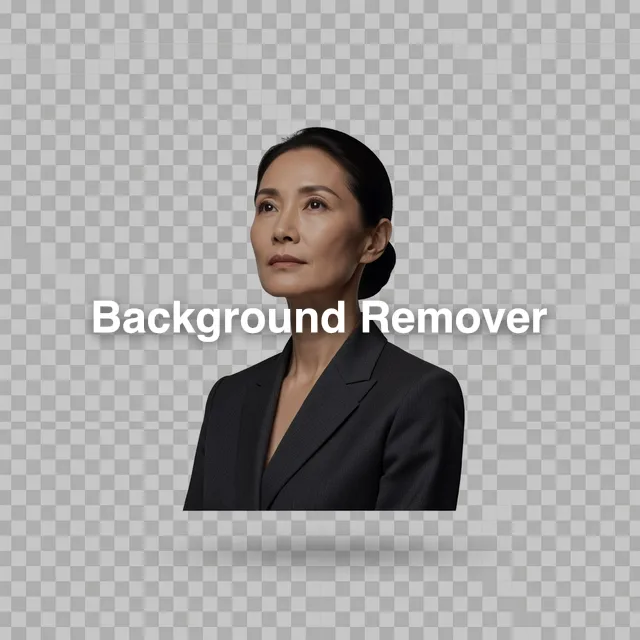
7.Background Removerby BiRefNet
1 credits / image · Free planA one-credit cutout: upload a photo and get the subject back on a transparent background as a PNG.
Best for: Product photos, profile pictures, stickers and design assets. Modes: Remove background.
Try Background Remover- 1 credit (about $0.05) per cutout
- PNG with real transparency by default; WebP and GIF are also offered
- Six model options, including Portrait and Matting, so you can try another if the first cut misses
- Does one job: it removes the background but does not relight or restyle the subject
- Fine hair, glass and low-contrast edges can come out rough
- One photo per run
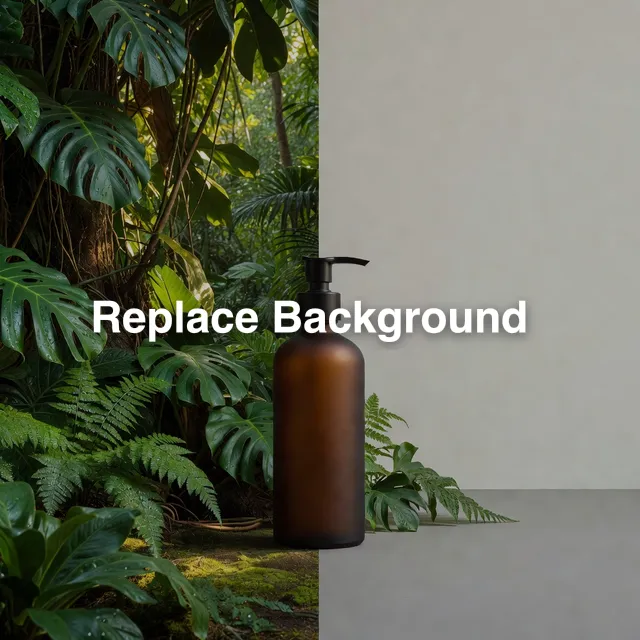
8.Replace Backgroundby Bria
2 credits / image · Free planBria's tool keeps your subject and generates a new scene around it from your description.
Best for: Product and portrait photos that need a different setting. Modes: Replace background.
Try Replace Background- 2 credits (about $0.10) per run
- Its catalog description says lighting and shadows are included in the new scene
- Optional negative prompt and seed
- Only the background changes; it is not a general editor
- Results vary with your wording, so expect to re-run with a new prompt or seed
- Check the edges around hair and transparent objects
9.Topaz Image Upscalerby Topaz Labs
4 credits / image · Free planEnlarges a photo up to 4x while staying faithful to the source, with model options for standard photos, high fidelity, low-resolution sources, CGI and text.
Best for: Enlarging or cleaning up low-resolution photos. Modes: Upscale.
Try Topaz Image Upscaler- 4 credits (about $0.20) for 1x to 3x, 7 credits (about $0.35) at 4x
- Six model options: Standard V2, High Fidelity V3 and V2, Low Resolution V2, CGI and Text Refine
- A compression-fix setting for heavily compressed photos
- Face enhancement is on by default and can subtly change faces; turn it off in advanced settings if a face must stay as shot
- It can add plausible detail that was not in the original, so check fine text and faces
- It enlarges and cleans a photo; it does not change what is in it
Frequently asked questions
What is the best free AI photo editor?
Nano Banana 2 is the best all-round choice on Bolly's Free plan. The Free plan gives 10 credits a day, enough for two Nano Banana 2 edits at 1K (4 credits each), five FLUX.2 Pro edits (2 each), ten background cutouts (1 each) or two Topaz upscales at up to 3x (4 each). Free-plan generations are public and can be featured in Explore; Starter ($19/month) and above can generate privately.
How do I edit a photo with AI using a text prompt?
Attach your photo in the composer of an edit-capable model such as Nano Banana 2, write what should change and what should stay the same, for example “change the jacket to navy and keep the face, pose and background unchanged”, then set the aspect ratio to match your photo. The composer shows the estimated cost before you run it. Bolly has no brush or mask tool, so the prompt is your only way to limit the edit.
How do I remove the background from a photo?
Use Background Remover: upload the photo and you get the subject on a transparent background as a PNG for 1 credit. If you want a new scene instead of a transparent one, use Replace Background (2 credits) and describe the setting.
What is the difference between an AI photo editor and an AI photo enhancer?
An editor changes what is in the photo: outfits, backgrounds, objects, lighting. An enhancer works on the pixels that are already there: it enlarges, sharpens and reduces compression artifacts. On Bolly the enhancer is Topaz Image Upscaler (up to 4x; 4 credits up to 3x and 7 at 4x), and the prompt-based models are the editors. You can edit first and upscale the result afterwards.
Can AI restore old photos?
Bolly has no dedicated photo restoration or colorizing tool, so results are not certain. Two things are worth trying: an edit model such as Nano Banana 2 with a prompt like “restore this photo: remove scratches, creases and stains, and keep the faces, clothing and framing unchanged”, and Topaz Image Upscaler, whose Low Resolution V2 option is described as recovering compressed sources. On a damaged photo, the face is the first thing to check against the original.
Can I remove an object or a person from a photo?
With a prompt, not a brush. Attach the photo to an edit model and describe what to remove and what should fill the space, for example “remove the person on the left and continue the wall behind them”. Results vary and nearby detail can change, so compare against the original and re-run with different wording if needed.
Is it OK to edit someone else's photo?
Only if that person has clearly agreed, and never if they are under 18: Bolly's Responsible AI rules rule out photos of anyone under 18, even with a parent's permission. If you share a realistic edit of a real person, say that it is AI-generated and use the AI labels of the platform you post on.
How much does an AI photo edit cost?
On Bolly a single edit runs from 1 credit for a background cutout to 8 credits for GPT Image 2 at high quality. Most prompt edits are 2 to 6 credits, about $0.10 to $0.30, where 1 credit ≈ $0.05. The composer shows the estimated cost before you run.
Keep exploring
- Remove Background app
- Upscale Image app
- Best AI image generators
- Best AI headshot generators
- Nano Banana 2
- Nano Banana prompts
- Responsible AI: consent
- Pricing
- Best AI Image to Video Tools
- Best AI Image Generators
- Best AI Video Generators
- Best AI 3D Model Generators
- Best AI Headshot Generators
- Best AI Music Generators
- Best AI Video Editing Tools
- Best AI Voice Generators