What is Seedream 5?
Seedream 5 is ByteDance's image model. The version on Bolly is Seedream 5.0 Pro, which ByteDance Seed introduced on July 8, 2026. It does two jobs: new images from a text prompt, and edits to the photos you attach. ByteDance describes it as a multimodal image model with advanced reasoning and names four strengths: turning data, concepts and dense text into professional layouts; precise, region-level editing; realistic light, materials and skin; and text in over ten languages.
Here it runs in the browser on the Free plan, with no ByteDance account or API key to set up. The credits every Bolly account gets each day pay for it.
Seedream 5 free: what 10 credits a day buy
Sign in with Google and your account holds 10 credits a day. What a Seedream 5 image costs depends on the size you pick:
- auto_2K, the default: 6 credits an image, so one image a day.
- auto_1K: 3 credits an image, so three images a day.
- Fixed shapes: square, portrait_4_3, portrait_16_9, landscape_4_3 and landscape_16_9 cost 3 credits; square_hd costs 6 credits.
Batches don't change the math, but they save clicks: set Images to 3 at auto_1K and one run returns three pictures for 9 credits. The credits reset at midnight UTC, and unused ones don't carry over.
Images made on the Free plan are public and can be featured in Explore. Private images need a paid plan: Starter is $19 a month with 300 credits, which covers 50 images a month at auto_2K on top of the daily credits. See the plans. There's a free video in the deal too: your first character swap opens 24 hours after sign-up, runs on Viggle, takes 5 of that day's credits and carries a Bolly watermark.
How to use Seedream 5 online
Describe the image
Type what you want in the box above. Seedream 5 handles long, specific prompts, so spell out the layout, the lighting and any words that should appear, in quotes.
Or attach photos to edit
Use the + button, or drop up to ten photos on the box. The composer switches to Edit, and your prompt now says what to change.
Choose the count and size
The Images chip sets 1 to 6 per run. Image size and the file format sit under Additional settings, next to the credit price, which updates as you change them.
Run and download
Press the arrow. The first run asks you to sign in with Google. Results appear under the box with Download and Reuse prompt buttons, and in your Library.
Edit photos with Seedream 5
ByteDance built the editing side to change one element and leave the rest of the frame alone: a color, a material, an object, a line of text. On Bolly the instructions are written, not drawn. There's no brush or lasso, so name the element and where it is ("the lamp on the left", "the second line of the sign").
Edit takes up to ten reference photos in one run, which is how you combine things: a product from one photo, a room from another, a style from a third. Refer to them in the order you added them. The first photo is included in the price and each extra one adds a little: at auto_1K an edit is 3 credits with one or two photos, 4 credits with three to eight photos and 5 credits with nine or ten photos; at auto_2K it's 6 credits with one to four photos, 7 credits with five to nine photos and 8 credits with ten photos.
In this photo, change the kitchen countertop from white laminate to dark green marble with thin white veins. Keep the cabinets, the sink, the items on the counter, the lighting and the reflections exactly as they are.
Hang the poster from the second image on the empty wall in the first image, centered above the sofa, in a thin black frame. Match the room's perspective and warm evening light, and add a soft shadow along the frame's lower edge.
ByteDance also lists layer separation and sketch completion among its editing skills. Ask for a subject on its own against a plain background, or attach a rough pencil sketch and describe the finished picture you want from it. Pick png under Additional settings if you plan to keep working on the file.
Infographics, posters and text in other languages
With nothing attached, Seedream 5 builds the whole image from your words. ByteDance's pitch is dense, structured work: charts, step-by-step explainers, menus and posters where the text has to come out right. It writes in over ten languages, including Japanese, Korean, Spanish, Arabic, French, German and Russian as well as Chinese and English, so a bilingual sign is a one-line request.
A clean infographic titled "How a bill becomes a law" on a cream background. Five numbered steps run left to right, each with a small flat icon and one short sentence in plain English. Navy and mustard palette, generous white space, no other text.
A poster for a neighborhood night market. Large Japanese lettering reads "夜市" at the top, with "NIGHT MARKET · SATURDAYS 6 PM" in small English capitals beneath it. Paper lanterns, steam from food stalls, a dusk-blue sky, risograph texture.
Sizes and settings
- Image size: eight options under Additional settings. auto_2K is the default and auto_1K the saver; both leave the proportions to the model. The fixed shapes are square_hd, square, portrait_4_3, portrait_16_9, landscape_4_3 or landscape_16_9. auto_2K is the largest size Bolly offers for this model.
- Images per run: 1 to 6. Each image in a batch is priced on its own, so two at auto_1K come to 6 credits.
- Output format: jpeg or png, jpeg by default.
Apps built on Seedream 5
Two apps run Seedream 5 with the prompt already written, on the same daily credits:
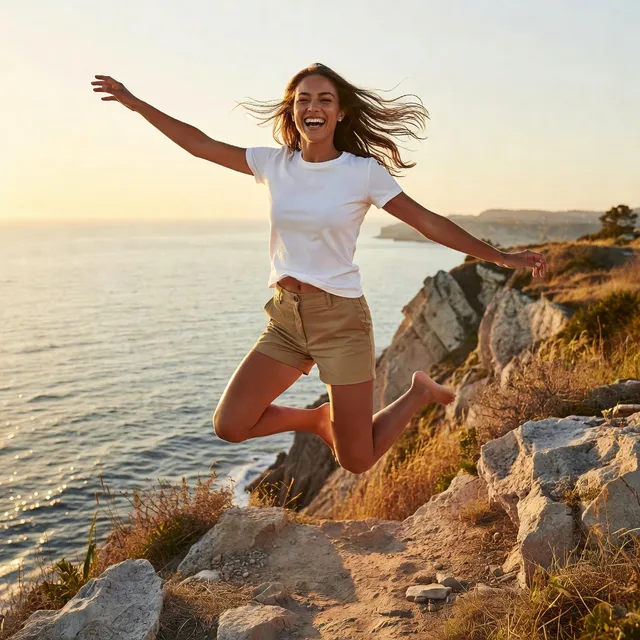
- Lifestyle Campaign: sunlit, candid campaign photos from a short description, 6 credits a run.
- Editorial Shoot: attach a reference photo and get a fashion-editorial look, 6 credits a run.
Seedream 5 vs Nano Banana 2
Both generate and edit on the Free plan. The differences that decide it:
- Price by size: Seedream 5 is 3 credits at auto_1K and 6 credits at auto_2K. Nano Banana 2 is 4 credits at 1K and 5 credits at 2K.
- Top size: Seedream 5 stops at 2K on Bolly. Nano Banana 2 goes to 4K, for 7 credits.
- Extras: Nano Banana 2 can search the web while it draws and offers 14 aspect ratios. Seedream 5 takes up to ten reference photos in one edit and writes in over ten languages.
- The short version: Seedream 5 for layouts, multilingual text and 3 credits images at 1K; Nano Banana 2 for 4K, web facts or banner shapes.
Other free image models on Bolly
The model menu in the box switches between these, and they all draw on the same daily credits:
- FLUX.2 Pro by Black Forest Labs: photoreal images and multi-photo edits for 2 credits each.
- Qwen Image 3 by Alibaba: another text specialist with Chinese and English prompts, from 3 credits.
- Ideogram 4: posters and logos built around lettering, from 1 credit.
- GPT Image 2 by OpenAI: strict instruction following and edits with many photos, from 8 credits.
Photos of people and AI labels
Edit photos of yourself, or of people who have agreed to it, and never of anyone under 18. If an image could pass for a real photo, say it's AI-generated when you post it and leave any labels in place. The Responsible AI policy has the full rules.
Frequently asked questions
Is Seedream 5 free?
Yes, on Bolly's Free plan. Each account gets 10 credits a day, reset at midnight UTC. A Seedream 5 image is 3 credits at auto_1K and 6 credits at the default auto_2K, and there's no card to add. Paid plans add monthly credits and private images.
How many free Seedream images do I get a day?
Three at auto_1K or one at auto_2K, running one image at a time. A batch of 3 at auto_1K costs 9 credits, so one run can spend most of the day's allowance at once.
Are my free Seedream 5 images private?
No. Images made on the Free plan are public and may be featured in Explore. Every paid plan keeps generations private; the first is Starter at $19 a month with 300 credits.
How much does Seedream 5 cost on Bolly?
3 credits an image at auto_1K and the fixed shapes priced with it, 6 credits at auto_2K and square_hd. An edit with one photo costs the same as a new image at the same size; at auto_1K an edit is 3 credits with one or two photos, 4 credits with three to eight photos and 5 credits with nine or ten photos. The composer shows the exact price before you run.
What sizes does Seedream 5 make?
Up to 2K on Bolly. Image size offers square_hd, square, portrait_4_3, portrait_16_9, landscape_4_3, landscape_16_9, auto_1K or auto_2K: the two auto options let the model set the proportions at a 1K or 2K budget, and the fixed options lock the shape. The default is auto_2K.
Can Seedream 5 edit my photos?
Yes. Attach one photo, or up to ten, and the composer switches to Edit. Describe the change and what should stay. ByteDance built the model for region-precise edits that leave the rest of the frame intact; on Bolly you point at the region with words rather than a brush.
Is this Seedream 4.5?
No. Bolly runs Seedream 5.0 Pro, the newer model, and doesn't offer Seedream 4.5. ByteDance describes 4.5 as a scaled-up Seedream 4.0 with stronger multi-image editing and typography; 5.0 Pro covers the same ground and adds reasoning for dense layouts and text in over ten languages. If you came looking for 4.5, this is the model to try.
Does Bolly run Seedream 5.0 Pro or Lite?
Pro, for both generating and editing. ByteDance also offers a Lite model, which isn't on Bolly. You don't need a ByteDance account or API key to use the Pro model here.
Seedream 5 vs Nano Banana 2: which should I use?
Seedream 5 when the picture is a layout, a chart or multilingual text, or when you want three 1K images a day. Nano Banana 2 when you need 4K, web search or an unusual aspect ratio. Both edit photos on the Free plan, and both are a pick away in the model menu.
Which languages can Seedream 5 write?
ByteDance says over ten commonly used languages, and its examples include Chinese, English, Japanese, Korean, Spanish, Arabic, French, German and Russian. Put the exact words in quotes and say where in the image they go.